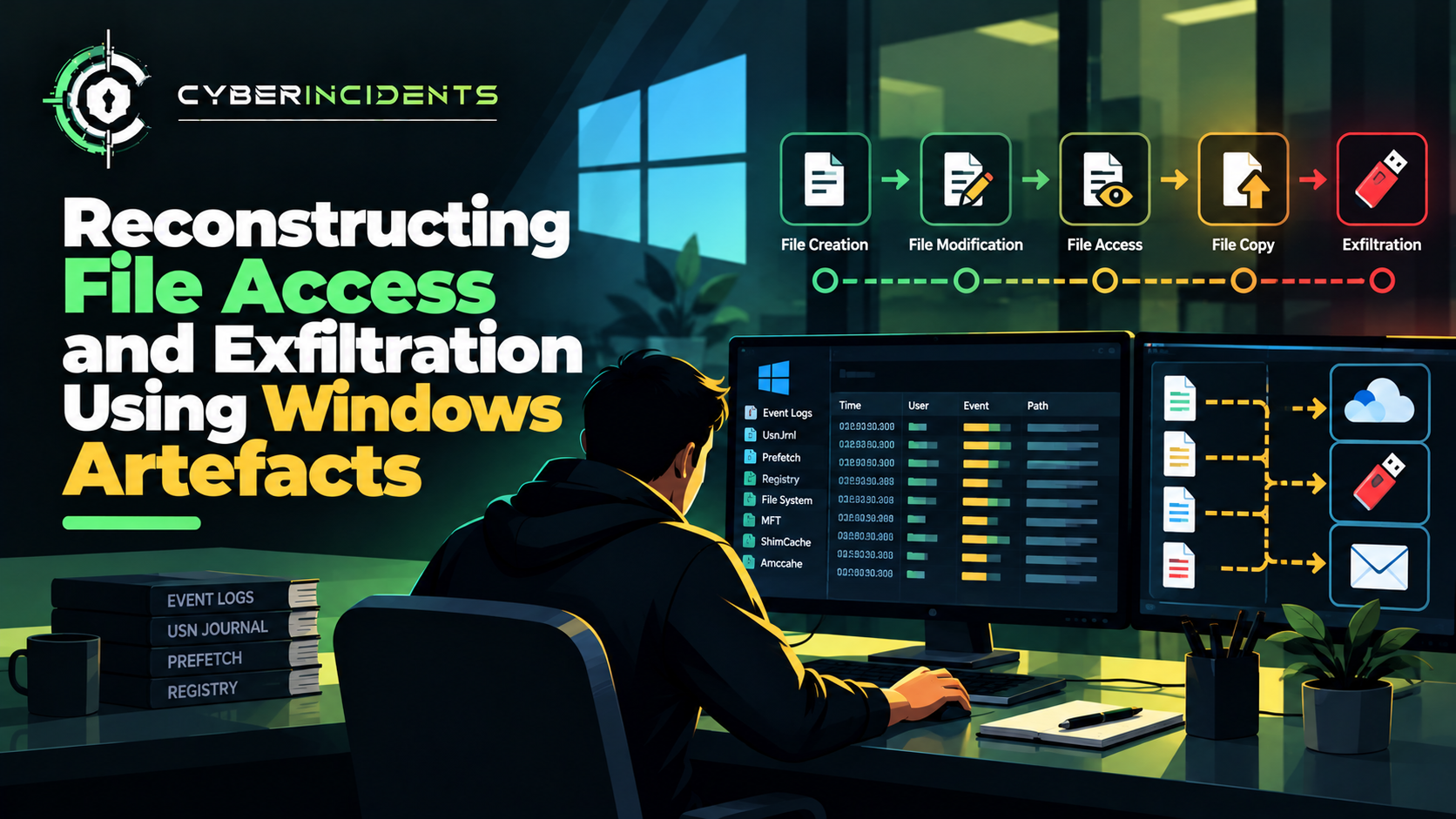
Malicious insider data exfiltration occurs when an employee, contractor, administrator, or another trusted individual deliberately transfers sensitive organisational information outside authorised boundaries.
Unlike external attackers, insiders may already possess legitimate access to corporate systems, making their activity difficult to distinguish from normal business operations. Data may be transferred through personal cloud storage, email attachments, removable media, file-sharing platforms, or unauthorised external services.
For SOC analysts, investigating insider data exfiltration requires correlating identity logs, endpoint telemetry, file-access records, network traffic, and data loss prevention (DLP) alerts. The objective is to establish what data was accessed, how it was transferred, whether the transfer was authorised, and what information may have been exposed.
Important: Unusual data movement does not automatically establish malicious intent. Investigators must distinguish deliberate exfiltration from legitimate business activity, accidental disclosure, and misconfigured automation.
1. Introduction: When Legitimate Access Becomes a Security Risk
Organisations invest heavily in protecting their networks from external attackers. Firewalls, endpoint detection and response (EDR), identity controls, and security monitoring help detect suspicious activity entering from outside the organisation.
However, a different challenge emerges when the person accessing sensitive information already has legitimate permissions.
Consider an employee who routinely accesses confidential project documents as part of their role. Over several days, the employee downloads a large collection of files, compresses them into an archive, and uploads the archive to a personal cloud-storage account.
Individually, each action may appear technically legitimate. The employee has access to the files, the archive utility is approved, and the cloud service is widely used.
The security concern becomes clearer when the actions are correlated: the volume of data is unusual, the destination is not approved, and the transfer occurs shortly before the employee's access is revoked.
This illustrates why insider-threat investigations require behavioural context rather than relying exclusively on malware signatures or blocked connections.
2. What Is Insider Data Exfiltration?
Data exfiltration is the unauthorised transfer of information from an organisation to an external destination or an unauthorised recipient.
When an insider performs this activity by abusing legitimate access, the incident is commonly described as insider data exfiltration.
Potential motivations include financial gain, intellectual-property theft, personal grievances, competitive advantage, or attempts to retain organisational information after leaving a role.
Not every insider incident is malicious. Data can also leave an organisation because of human error, poor access controls, or accidental sharing. The investigation must establish the circumstances and intent where evidence permits.
Common data types targeted
Customer records and personally identifiable information (PII).
Financial reports and business plans.
Source code and proprietary algorithms.
Intellectual property and research data.
Authentication tokens, credentials, and configuration files.
Confidential contracts and legal documents.
Cloud architecture diagrams and internal documentation.
The impact depends on the sensitivity of the information, the number of records involved, applicable legal obligations, and whether the recipient can use or redistribute the data.
3. Common Insider Data Exfiltration Techniques
Personal cloud-storage uploads
An insider may copy organisational documents to a personal cloud-storage account or an unauthorised file-sharing service.
Investigation focus: Review cloud application activity, upload records, file-access logs, browser or endpoint telemetry, and any available DLP alerts. Determine whether the destination was approved and whether the transfer had a legitimate business purpose.
Email forwarding and attachments
Sensitive information may be sent to a personal email account or an unauthorised external recipient.
Investigation focus: Examine message trace records, recipient domains, attachment metadata, file classifications, forwarding rules, and the user's normal communication patterns.
Removable media
Files may be copied to USB drives or other removable storage devices.
Investigation focus: Correlate USB device connections with file-access and file-write events. Review device identifiers, timestamps, file names, and endpoint policy alerts where available.
Unauthorised repository or code transfers
Developers or administrators may copy source code, configuration files, or proprietary project material into personal repositories or external development platforms.
Investigation focus: Review repository audit logs, Git activity, token usage, file access, and outbound connections. Distinguish approved collaboration from unauthorised copying.
Large-scale downloads and archiving
An insider may collect files from shared drives or cloud repositories and package them into compressed archives before transferring them.
Investigation focus: Examine unusual download volumes, bulk file access, archive creation, process execution, and subsequent network activity.
Archive creation alone is not evidence of exfiltration. The investigation should establish whether the files were sensitive and whether they were transferred to an unauthorised destination.
Unauthorised access through shared links
Sensitive documents may be shared externally by creating public links or changing access permissions.
Investigation focus: Review sharing settings, link creation, external invitations, access logs, and changes to document permissions.
In some cases, the data leaves the organisation's effective control without a conventional file upload from the user's device.
4. Anatomy of an Insider Data Exfiltration Incident
Consider a hypothetical employee with legitimate access to confidential product-development files.
Stage 1 — Access to sensitive information
The employee accesses documents within the scope of their existing permissions.
At this stage, the activity may be normal and authorised.
Stage 2 — Collection of files
The employee begins accessing files outside their normal usage pattern or downloading a significantly larger volume of data than usual.
Potential signals include unusual file-access frequency, access to unrelated projects, or bulk downloads shortly before a change in employment status.
Stage 3 — Preparation for transfer
The employee copies files into a staging directory, creates archives, or reorganises information for transfer.
Endpoint telemetry may show file creation, renaming, copying, or compression activity.
Stage 4 — Movement to an external destination
The files are uploaded to personal cloud storage, sent through email, copied to removable media, or transferred through another channel.
Network, email, cloud audit, or device-control records may provide evidence of this step.
Stage 5 — Potential misuse or disclosure
The transferred information may be retained, shared with another party, or used outside the organisation.
Investigators should not assume this final stage occurred simply because a suspicious transfer was detected. Evidence of actual disclosure or subsequent use may require a separate investigation.
5. SOC Investigation: Step-by-Step Workflow
An effective investigation combines identity, endpoint, data-access, and network evidence into a single timeline.
Step 1 — Validate the initial alert
Identify the alert source and determine what triggered it.
Possible sources include:
DLP policy violations.
Unusual file-download activity.
Large outbound transfers.
Personal cloud-storage uploads.
Removable-media events.
Unusual email forwarding.
External sharing of confidential documents.
Record the user, device, timestamp, source application, destination, data volume, and alert rationale.
Validate whether the activity could be explained by a legitimate business process, such as a scheduled export, approved migration, or authorised project handover.
Step 2 — Establish the user's identity and access
Review the user's role, department, permissions, recent access changes, and normal working patterns.
Determine whether the user was authorised to access the relevant information and whether the destination was approved.
Relevant context may include recent privilege changes, unusual authentication activity, changes to employment status, or access outside normal operational requirements.
Employment-related information should be handled only by authorised personnel and used in accordance with organisational policy.
Step 3 — Identify the data accessed
Establish which files or records were accessed, copied, downloaded, or shared.
Collect available file names, paths, sizes, timestamps, classification labels, and access records. Where possible, determine the number of records and the sensitivity of the information.
Avoid opening or copying sensitive content unnecessarily. Preserve evidence using approved forensic procedures and restrict access to the investigation team.
Step 4 — Reconstruct endpoint activity
Use EDR telemetry, operating-system logs, and file auditing to establish what happened on the user's device.
Look for:
Bulk file copying.
Archive creation.
Unusual command-line activity.
Access to sensitive directories.
New scripts or utilities involved in file processing.
Browser or synchronisation-client activity associated with the transfer.
Correlate process execution with file access and network events. A compression utility or file-copy command is not inherently malicious; its significance depends on the files involved and the subsequent activity.
Step 5 — Trace the transfer path
Determine how the data left the organisation or became accessible externally.
Review relevant:
Firewall and proxy logs.
DNS and network connection telemetry.
Cloud application audit records.
Email message traces.
Removable-media logs.
Repository and file-sharing audit events.
Establish the source, destination, time, volume, and transfer mechanism where the available telemetry permits.
For encrypted transfers, metadata may establish that a connection occurred without revealing its contents. Correlate that information with endpoint and application logs.
Step 6 — Determine whether the transfer was authorised
Consult the appropriate data owner, system owner, or authorised business contact to validate the purpose and approval status of the transfer.
Consider whether the activity matches an approved workflow, whether the recipient was permitted to receive the data, and whether the transfer violated data-handling policies.
Do not infer malicious intent from a person's job title, browsing history, or an unusual transfer alone.
Step 7 — Assess impact and scope
Determine which systems, users, and data repositories were affected.
Assess:
The sensitivity and volume of information.
Whether personal or regulated data was involved.
Whether external recipients could access the information.
Whether shared links remain active.
Whether credentials or authentication tokens were exposed.
Whether other users or devices participated in the transfer.
If credentials were included in the transferred material, investigate possible subsequent authentication and access using identity and cloud audit records.
Step 8 — Contain and preserve evidence
If unauthorised exfiltration is confirmed or strongly suspected, follow the incident-response and insider-risk procedures.
Potential actions include:
Restricting access to the affected repository or destination.
Revoking unauthorised sharing links.
Suspending or limiting access when justified by the evidence and approved process.
Preserving endpoint, identity, email, cloud, and network logs.
Securing relevant removable media or forensic artefacts.
Rotating potentially exposed credentials.
Coordinating with legal, privacy, HR, and data owners as appropriate.
Avoid deleting files, wiping devices, or taking other actions that could destroy relevant evidence before it has been preserved.
6. Evidence and Indicators to Collect
Insider data exfiltration rarely has one universal indicator. Detection depends on correlating activity across multiple systems.
Evidence sourceWhat to investigateWhy it mattersIdentity logsSign-ins, session details, access changesEstablishes who accessed the systemFile-access logsFile names, paths, timestamps, read and download eventsIdentifies the information accessedEDR telemetryProcess execution, copying, archiving, file writesReconstructs endpoint activityDLP alertsSensitive-data matches and policy violationsIdentifies possible unauthorised transfersFirewall and proxy logsDestinations, transfer volumes, connection timingHelps trace external communicationsCloud audit logsDownloads, uploads, sharing links, permission changesIdentifies cloud-based transfersEmail logsExternal recipients, forwarding rules, attachmentsInvestigates email-based disclosureDevice-control logsUSB connections and file-copy eventsSupports removable-media investigationsRepository audit logsCloning, downloads, commits, token activityInvestigates source-code or project-data transfers
Preserve timestamps with their time zones and correlate events using user identities, device identifiers, session IDs, file metadata, and available request IDs.
A large outbound transfer is an indicator for investigation, not proof of malicious exfiltration. Equally, smaller transfers can be significant when they involve highly sensitive information.
7. Example Detection Logic for SOC Analysts
A practical detection strategy should combine several signals rather than rely on one threshold.
Consider the following hypothetical sequence:
A user downloads an unusually large collection of confidential documents.
The same endpoint creates an archive shortly afterward.
The endpoint uploads data to an unapproved cloud-storage destination.
The user or application has no corresponding approved transfer request.
This sequence warrants investigation because the events are temporally related and collectively suggest possible collection and transfer.
Example SIEM correlation logic
The following is conceptual pseudocode, not a query for a specific SIEM platform:
IF
sensitive_file_downloads exceed user baseline
AND
archive_creation occurs within a defined time window
AND
outbound_transfer targets an unapproved destination
THEN
raise an insider-data-exfiltration investigation alert
A production detection should account for authorised bulk exports, backup jobs, data migrations, approved cloud applications, and service accounts.
Useful enrichment includes user role, data classification, destination reputation, application approval status, and historical activity.
The detection should also support cases where the transfer does not involve archive creation or where cloud-side sharing exposes data without a large outbound network transfer.
8. MITRE ATT&CK Mapping
The following techniques may be relevant when supported by evidence:
T1074 — Data Staged: Relevant when data is gathered into a staging location before exfiltration.
T1560 — Archive Collected Data: Relevant when collected data is compressed or archived.
T1567 — Exfiltration Over Web Service: Relevant when data is transferred through a web-based service.
T1048 — Exfiltration Over Alternative Protocol: Relevant when data is exfiltrated using an alternative protocol rather than the primary command-and-control channel.
T1052 — Exfiltration Over Physical Medium: Relevant when data is removed using physical media, such as removable storage.
T1114 — Email Collection: Potentially relevant when email collection occurs; sending data through email may require a more specific mapping based on the observed behaviour.
ATT&CK describes adversary behaviours, not proof of intent. These techniques should be mapped to the actual actions observed rather than automatically assigned to every insider incident.
9. Preventing Insider Data Exfiltration
Apply least-privilege access
Limit access to sensitive data according to job responsibilities. Review permissions regularly, remove obsolete access, and separate duties where appropriate.
Implement data loss prevention
Deploy DLP controls across endpoints, email, and supported cloud applications. Use data classification and context-aware policies to identify unauthorised movement of sensitive information.
Tune policies to reduce false positives and provide an appropriate process for approved business exceptions.
Monitor sensitive data access
Establish baselines for downloads, file access, sharing, and transfer volumes. Alert on meaningful deviations, especially when several independent signals occur together.
Control removable media
Restrict unapproved USB storage and other removable devices where appropriate. Log device connections and file transfers, and provide approved alternatives for legitimate business requirements.
Secure cloud sharing
Restrict public links, monitor external sharing, and use approved enterprise cloud applications. Review unusual permission changes and prevent sensitive documents from being exposed through unauthorised accounts.
Protect credentials and tokens
Keep secrets out of ordinary documents and source repositories. Use approved secret-management tools, minimise credential exposure, and monitor for suspicious use following a suspected transfer.
Establish clear policies and processes
Define acceptable data handling, external transfer approvals, monitoring practices, and incident escalation procedures. Ensure employees understand how to transfer information securely for legitimate work.
Preserve privacy and procedural fairness
Insider investigations can involve sensitive employee information. Limit monitoring and evidence access to authorised personnel, follow applicable legal requirements, and base conclusions on verifiable evidence rather than assumptions.
10. Incident Assessment and Reporting
At the conclusion of an investigation, distinguish between the following outcomes:
Unusual activity: Behaviour differs from the user's baseline but is not yet explained.
Policy violation: A transfer or access event breached an organisational policy, whether intentionally or accidentally.
Unauthorised transfer confirmed: Evidence establishes that information moved to an unapproved destination or recipient.
Malicious insider activity supported: Multiple evidence sources support deliberate unauthorised activity.
Impact confirmed: The investigation establishes the affected data, recipients, or subsequent misuse.
Scope unresolved: Missing logs or incomplete visibility prevent a reliable conclusion.
The incident report should document the timeline, affected data, evidence sources, transfer mechanism, authorisation status, containment actions, and remaining uncertainties.
This structure helps management distinguish between suspicious behaviour, a confirmed data-handling violation, and a substantiated malicious insider incident.
Conclusion
Malicious insider data exfiltration presents a distinct challenge because trusted users can access legitimate systems and transfer information using ordinary tools.
Effective investigation requires correlating identity activity, file access, endpoint behaviour, network connections, and cloud or email audit records. The goal is to establish what data was accessed, how it moved, whether the transfer was authorised, and what impact followed.
For SOC teams, the most effective approach combines least-privilege access, data loss prevention, behavioural monitoring, strong audit logging, and a disciplined incident-response process.
The key is to investigate the complete data journey—from access and collection to transfer and potential exposure—rather than treating unusual activity as proof of malicious intent.
Further Reading
MITRE ATT&CK — Exfiltration (TA0010)
MITRE ATT&CK — Data Staged (T1074)
NIST — Computer Security Incident Handling Guide
CISA — Insider Threat Mitigation