Cyber News
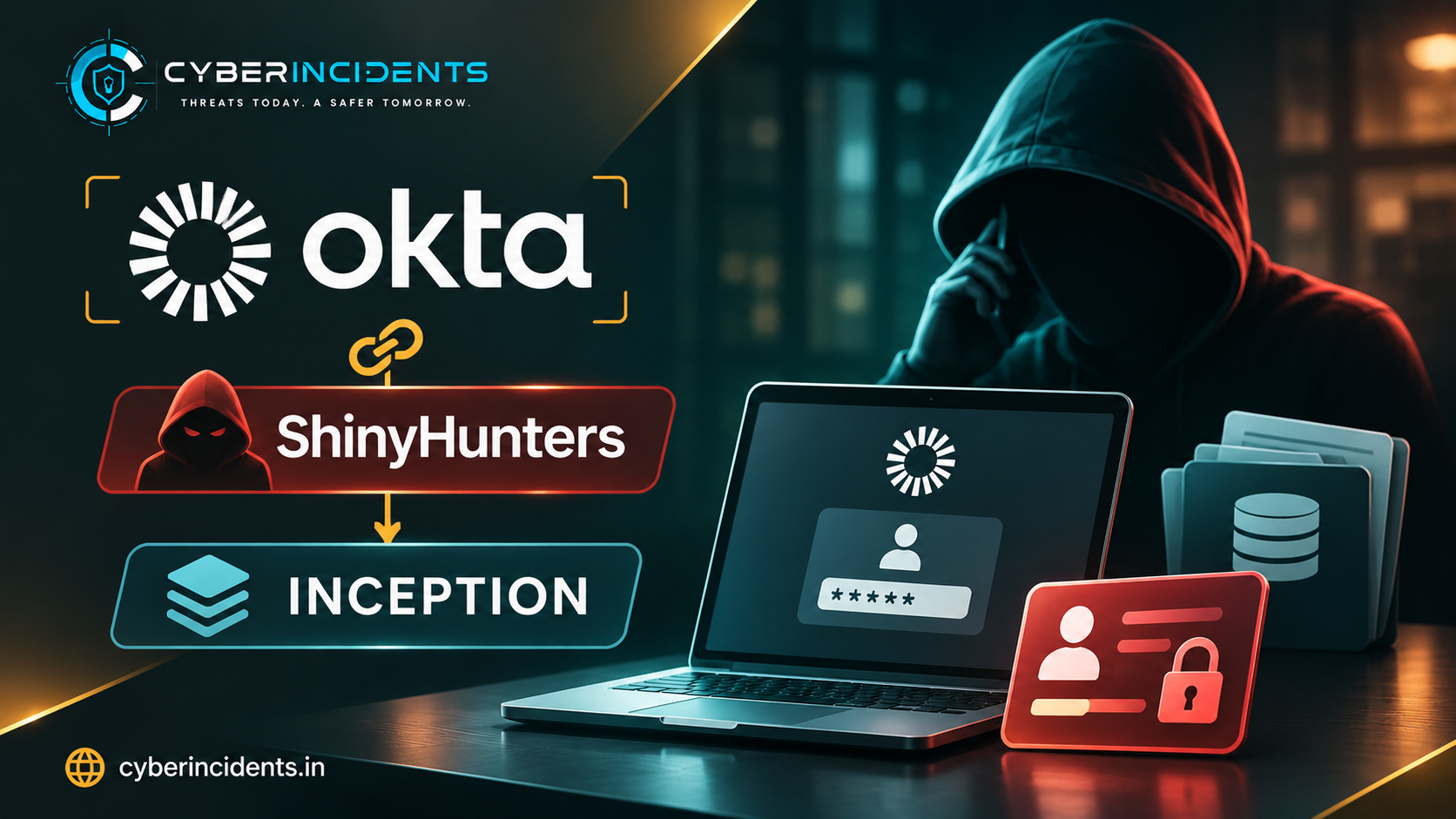
Okta Links ShinyHunters-Associated Vishing Group to INCEPTION
Identity Theft and Data Extortion
15 min read
Vishing
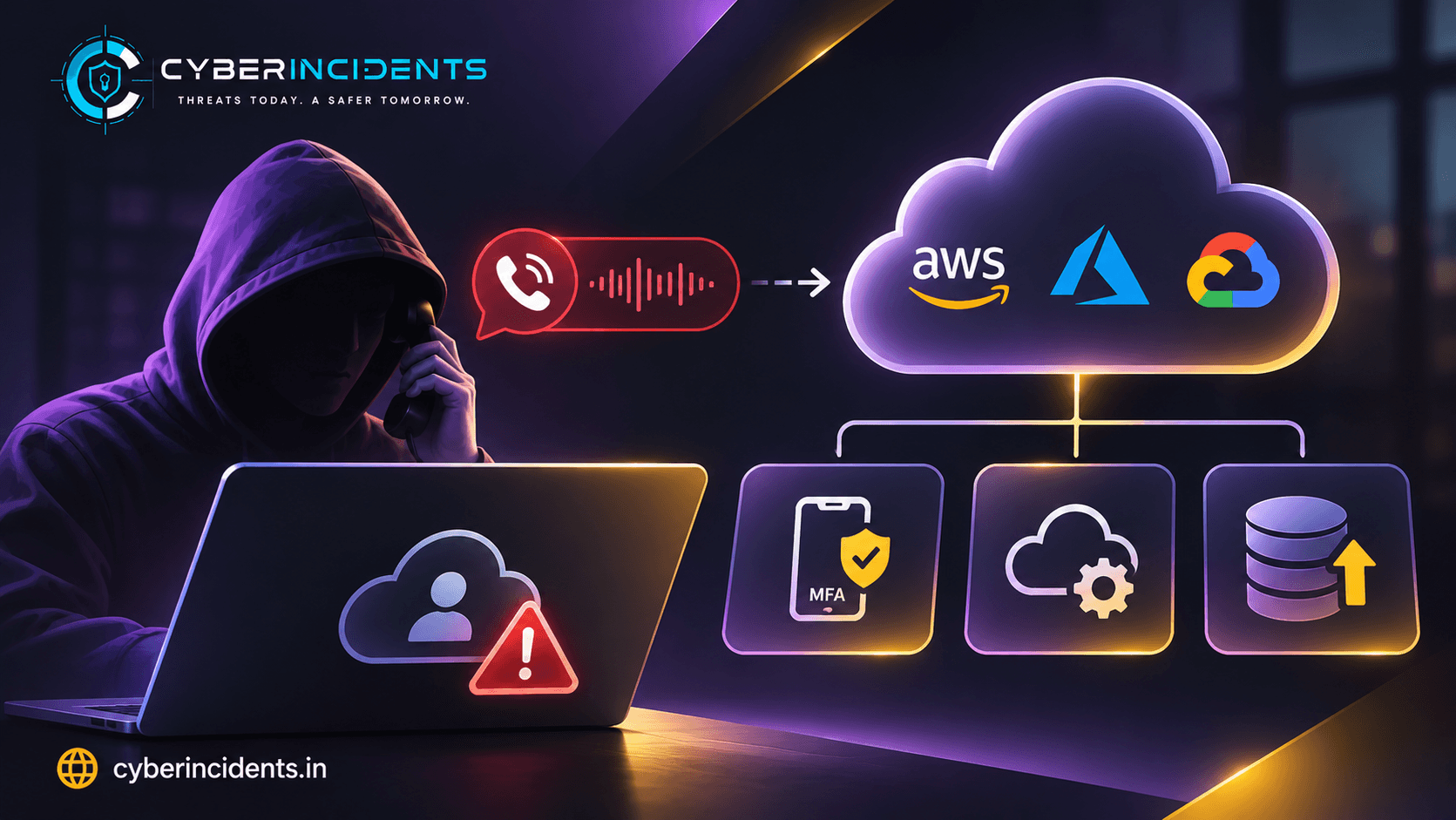
Palo Alto Networks Unit 42 has reported multiple waves of voice phishing (vishing) attacks conducted by Com-affiliated threat actors since August 2026. These campaigns have targeted organisations across financial services, healthcare, legal services, technology, manufacturing, insurance and other sectors in the United States, United Kingdom and Australia.
The attackers impersonate internal IT support personnel and convince employees to visit organisation-specific phishing websites. These websites use adversary-in-the-middle (AiTM) phishing techniques to capture credentials, MFA approvals and authenticated session tokens.
After gaining access, attackers move quickly to establish persistence. They register their own MFA devices, create temporary cloud credentials, authorise unauthorised OAuth applications and access sensitive data in Microsoft 365 and other SaaS platforms.
Unit 42 also identified a malicious Chromium browser extension associated with cluster CL-CRI-1192. The extension can steal authentication cookies, capture keystrokes, access browser storage, scan QR codes and provide remote browser control.
Rather than relying primarily on ransomware encryption, these threat actors focus on data theft and extortion. They may send messages through Microsoft Teams or email to pressure employees and direct victims to Tor-hosted negotiation sites.
Key takeaway: A successful cloud account takeover can persist even after the initial password is changed if attackers have registered additional MFA factors, created application permissions, obtained temporary credentials or maintained active sessions.
Unit 42 tracks several threat clusters associated with the broader Com cybercrime ecosystem. These clusters use overlapping social engineering and identity-compromise techniques, but they should not automatically be treated as a single operational group.
The November 25, 2026 report identifies the following clusters:
Bling Libra: Also known as ShinyHunters.
CL-CRI-1116: Also known as Redact, formerly BlackFile. First observed in January 2026.
CL-CRI-1147: Also known as Pink. First observed in May 2026.
CL-CRI-1182: Also known as Falcon. First observed in mid-2026.
CL-CRI-1192: Also known as Helix and UNC6671. First observed in June 2026.
CL-CRI-1264: Also known as Vortex. First observed in September 2026.
CL-CRI-1274: Also known as Cinder. First observed in September 2026.
Unit 42 reported that the activity has affected organisations holding large volumes of sensitive corporate data. Financial services organisations were targeted more frequently than healthcare organisations in August 2026, while healthcare became the more frequently targeted sector in September.
The clusters share certain techniques, including vishing, AiTM phishing and cloud data theft. However, specific tools and behaviours vary between clusters.
The attack combines telephone-based social engineering, real-time authentication interception and abuse of legitimate cloud services.
The following stages describe the reported attack lifecycle.
Stage 1: Target identification and preparationAttackers identify employees and organisations that they intend to compromise.
They prepare phishing infrastructure using domains that imitate the target organisation's:
Single sign-on (SSO) portal.
IT support website.
Authentication troubleshooting page.
Passkey configuration service.
Employee login portal.
These domains may use the organisation's name or other recognisable terms to appear legitimate.
The objective is to make employees believe they are interacting with an internal IT or authentication service.
Stage 2: Voice phishing and social engineeringThe attacker contacts the employee by telephone while impersonating an IT support representative.
The caller may claim that:
The employee's account requires verification.
An authentication issue needs to be resolved.
The organisation is updating its login process.
The employee needs to configure a passkey or authentication method.
Suspicious activity has been detected on the account.
The attacker then directs the employee to a personalised phishing website.
This approach is particularly effective because the attacker can guide the victim through each authentication step while remaining on the phone.
Stage 3: AiTM phishing and session interceptionThe phishing website operates as an intermediary between the victim and the legitimate identity provider.
Instead of simply collecting a username and password, an AiTM phishing kit can relay authentication requests to the genuine login service.
A simplified authentication flow looks like this:
The employee visits the attacker-controlled phishing domain.
The employee enters their credentials.
The phishing kit relays the authentication request to the legitimate identity provider.
The identity provider requests MFA.
The employee supplies an OTP or approves a push notification.
The phishing infrastructure relays the authentication response.
The attacker captures authentication material, potentially including an authenticated session token.
This can allow an attacker to reuse an authenticated session without independently completing the original authentication process.
The important distinction is that MFA may have worked as designed from the identity provider's perspective. The employee approved the request, but the approval was obtained through deception.
Stage 4: MFA device enrolment and persistenceAfter successfully authenticating, attackers move quickly to establish additional access mechanisms.
Unit 42 reported that CL-CRI-1264 enrolled unauthorised MFA devices within minutes of authentication.
In several incidents, the attackers reused a device name:
Pixel 10a
This is a useful hunting clue, but the device name alone is not proof of compromise. Legitimate employees can use devices with identical names.
The more important indicators are:
MFA enrolment shortly after suspicious authentication.
New authentication factors added from an unfamiliar IP address.
Device enrolment inconsistent with the employee's history.
Multiple compromised accounts registering similarly named devices.
Authentication-factor changes followed by unusual SaaS access.
If an attacker registers their own MFA device, changing the employee's password may not remove the attacker's additional authentication method.
Stage 5: Cloud credential and OAuth abuseThe attackers then attempt to establish persistence and expand their access within cloud environments.
Reported techniques include:
Temporary cloud credentials: Attackers generate or abuse temporary credentials to access cloud infrastructure.
OAuth application authorisation: Attackers approve unauthorised third-party applications that may receive access to organisational resources.
SaaS access: Compromised identities are used to access services such as Microsoft 365, SharePoint, OneDrive, Salesforce, DocuSign and Slack.
Mailbox manipulation: Attackers modify mailbox rules to maintain access, redirect communications or interfere with security notifications.
These activities can allow attackers to retain access even if the original phishing website is taken offline.
Stage 6: Data discovery and exfiltrationOnce persistence is established, attackers enumerate the victim's cloud environment to identify valuable information.
Unit 42 reported the use of Python scripts to automate data collection from:
Microsoft 365 mailboxes.
OneDrive.
SharePoint.
CL-CRI-1274 was also observed using the Microsoft Graph SDK to collect and exfiltrate data from SharePoint and OneDrive.
This is significant because Microsoft Graph is a legitimate API used by applications and administrators. Its use is not inherently malicious.
The investigation must establish whether the API activity is associated with an authorised application, an expected user workflow or an unauthorised identity.
Stage 7: Malicious browser extension deploymentUnit 42 identified a malicious browser extension associated with CL-CRI-1192.
The extension was named:
Google Chrome
The extension was reportedly sideloaded into Chromium-based browsers after Developer Mode was enabled.
It was observed performing several malicious activities:
Installing global keyloggers.
Stealing browser local storage and session storage.
Collecting authentication cookies associated with Microsoft and Google accounts.
Scanning webpages for QR codes that may contain authentication or login tokens.
Streaming webcam feeds.
Using Chrome DevTools Protocol for remote browser control.
Capturing screenshots.
Dispatching keyboard and mouse input events.
Stealing clipboard contents.
Navigating websites remotely.
The use of a legitimate-looking extension name can make manual identification more difficult.
However, the extension name alone is not sufficient for detection. Investigators should examine the extension ID, installation source, manifest, permissions, files, background scripts and associated network connections.
Unit 42 assessed with moderate confidence that CL-CRI-1192 developed the extension. The report also noted that other Com-affiliated groups might use it, but no evidence had been established for that possibility.
Stage 8: Extortion and communication with victimsAfter collecting sensitive information, attackers contact employees within the victim organisation.
Reported communication channels include:
Microsoft Teams.
Email.
Tor-hosted negotiation websites.
Attackers may claim that corporate data has been stolen and threaten to publish it unless the organisation engages in negotiations.
This approach avoids the need to encrypt systems. The threat actor can use stolen information itself as leverage.
Doko's Panel is an AiTM phishing kit associated with the broader Com-affiliated vishing ecosystem.
It is designed to intercept authenticated sessions and support credential and session theft.
The kit can help attackers obtain access to connected SaaS applications, including:
SharePoint.
Salesforce.
DocuSign.
Slack.
The report also describes the professionalisation of vishing operations. Push Security previously reported that the persona behind Doko's Panel was recruiting experienced callers through Telegram.
The recruitment requirements reportedly included fluent English and the ability to conduct convincing telephone conversations.
This suggests a division of labour in which phishing infrastructure operators and human callers can work together.
The caller manipulates the victim, while the phishing infrastructure handles authentication interception.
Legitimate authentication: The identity provider may record a successful login because the victim genuinely completed the authentication flow.
Session reuse: An attacker may use an already authenticated session rather than repeatedly submitting passwords.
Legitimate cloud APIs: Microsoft Graph and other cloud services are routinely used by business applications. Malicious activity can resemble normal API usage.
Persistence beyond passwords: Additional MFA factors, OAuth grants, mailbox rules and temporary credentials can survive a password reset.
Limited malware activity: Attackers may operate primarily through cloud services without deploying traditional malware.
Selective browser extension activity: A malicious extension may be installed through Developer Mode and appear under a familiar name.
Multiple threat clusters: Shared techniques and infrastructure do not necessarily mean all incidents belong to one group.
The supplied report does not provide a confirmed list of malicious IP addresses, phishing domains, file hashes or browser-extension IDs. The following are behavioural indicators and investigation pivots, not confirmed standalone IOCs.
| Indicator | Type | Investigation relevance |
|---|---|---|
Pixel 10a | MFA device display name | Reused device name reported in CL-CRI-1264 activity |
Google Chrome | Browser extension name | Name of malicious extension associated with CL-CRI-1192 |
| Doko's Panel | AiTM phishing kit | Associated with credential and authenticated-session interception |
| Microsoft Graph SDK | API / software development kit | Reported in CL-CRI-1274 data collection |
| Tor-hosted negotiation site | Infrastructure behaviour | Used in reported extortion activity |
| Unauthorised OAuth applications | Identity persistence | May provide continued access to cloud resources |
| Unexpected MFA enrolment | Identity activity | Reported within minutes of initial authentication in CL-CRI-1264 incidents |
| Mailbox rule modification | Cloud persistence / evasion | Can redirect or hide communications |
Important: Do not create a block rule solely from the display name Pixel 10a or extension name Google Chrome. Validate device identifiers, extension IDs, publisher information and activity context first.
The most effective way to investigate this activity is to build a timeline beginning with the employee's telephone interaction and continuing through authentication, MFA enrolment, OAuth authorisation, cloud access and data exfiltration.
Review identity-provider logs for suspicious authentication activity.
Look for:
Successful logins from unfamiliar IP addresses.
Residential proxy or commercial VPN infrastructure.
Unusual browser and device fingerprints.
Authentication immediately following a reported support call.
New sessions followed by MFA factor enrolment.
Authentication from a new location followed by access to sensitive SaaS applications.
Correlate source IP, user-agent, device identifier, session identifier and authentication method.
A different IP address is not enough to prove account takeover. VPNs, mobile networks and corporate proxies can produce similar patterns.
Review identity audit logs for new authentication factors.
Focus on:
MFA factor additions shortly after a suspicious login.
New device enrolments outside normal working patterns.
Multiple users enrolling devices with similar names.
MFA changes followed by unusual cloud access.
Removal or modification of existing authentication methods.
For Okta, review System Log events associated with factor enrolment and user authentication. For Microsoft Entra ID, examine authentication-method registration and audit records.
Review OAuth application consent and service-principal activity.
Look for:
Newly authorised applications.
Unfamiliar publisher names.
Unexpected delegated permissions.
High-privilege application permissions.
Consent activity immediately after suspicious authentication.
Unusual API access from newly authorised applications.
Pay particular attention to permissions that allow access to mail, files, calendars or other sensitive resources.
Review Microsoft 365 audit records and available Graph activity telemetry.
Look for:
High-volume file downloads.
Unusual SharePoint and OneDrive access.
Bulk mailbox collection.
API requests across multiple users or sites.
Access from unfamiliar IP addresses.
Activity from applications not previously used by the organisation.
Compare activity against known enterprise applications, backup jobs, migration tools and approved automation.
Review mailbox audit events for:
New inbox rules.
External forwarding.
Hidden or unusual rule names.
Deletion or movement of security notifications.
Changes to mailbox permissions.
Unusual access to mailbox contents.
A compromised account may use mailbox rules to hide evidence or redirect sensitive communications.
Collect browser extension information from affected endpoints.
Review:
Extension ID and manifest.
Installation directory.
Developer Mode status.
Extension permissions.
Installation timestamps.
Browser policy changes.
Network connections initiated by the extension.
Access to clipboard, cookies and browser storage.
Correlate extension installation with the user's authentication timeline.
Do not remove the extension before preserving relevant forensic evidence where incident-response procedures require collection.
Determine whether the attacker accessed or transferred sensitive data.
Review:
SharePoint and OneDrive download events.
Exchange mailbox access.
Microsoft Graph API activity.
External sharing events.
Unusual outbound network traffic.
Large or repeated downloads.
File access across multiple departments.
Differentiate between data viewed, data downloaded and data confirmed to have left the organisation. These are separate evidentiary conclusions.
The following queries are hunting starting points. They require the relevant identity, endpoint and cloud audit data to be ingested.
Query 1: Detect new MFA device enrolment
index=okta
(eventType="user.mfa.factor.activate"
 OR eventType="user.mfa.factor.enroll")
| table _time actor.alternateId eventType
  client.ipAddress target outcome.result
| sort - _time
Review the exact event types available in your Okta tenant. Correlate new factor enrolment with preceding authentication events.
Query 2: Identify accounts authenticating from multiple IP addresses
index=okta eventType="user.session.start"
| stats dc(client.ipAddress) as unique_ips
  values(client.ipAddress) as source_ips
  values(client.userAgent.rawUserAgent) as user_agents
  values(debugContext.debugData.requestId) as request_ids
  by actor.alternateId
| where unique_ips > 2
| sort - unique_ips
This query is intended to identify accounts with multiple source IPs in the selected search period. Adjust the threshold to your environment and correlate with session data.
Query 3: Detect suspicious OAuth application consent
index=azure_audit
(OperationName="Consent to application"
 OR OperationName="Add delegated permission grant"
 OR OperationName="Add app role assignment")
| table _time InitiatedBy TargetResources
  OperationName Result
| sort - _time
Investigate the application identity, publisher, permission scope and initiating account.
Query 4: Identify unusual Microsoft 365 file access
index=o365
(Workload="SharePoint" OR Workload="OneDrive")
(Operation="FileDownloaded" OR Operation="FileAccessed")
| stats count dc(ObjectId) as unique_files
  values(ObjectId) as accessed_files
  by UserId ClientIP bin(_time, 15m)
| where count > 100 OR unique_files > 50
| sort - count
Thresholds should be calibrated against normal user and application activity.
Query 5: Identify mailbox rule changes
index=o365
(Operation="New-InboxRule"
 OR Operation="Set-InboxRule"
 OR Operation="UpdateInboxRules")
| table _time UserId ClientIP Operation Parameters
| sort - _time
Review rules that forward, redirect, delete or move messages, particularly when created shortly after suspicious authentication.
Query 1: Detect authentication-method registration
AuditLogs
| where TimeGenerated > ago(7d)
| where OperationName has_any (
    "Register security info",
    "Add authentication method",
    "Update authentication method"
)
| project TimeGenerated, OperationName,
          InitiatedBy, TargetResources, Result
| order by TimeGenerated desc
The exact operation names depend on the audit events available in the tenant. Validate the operation strings against collected data.
Query 2: Identify suspicious OAuth consent activity
AuditLogs
| where TimeGenerated > ago(7d)
| where OperationName has_any (
    "Consent to application",
    "Add delegated permission grant",
    "Add app role assignment"
)
| project TimeGenerated, OperationName,
          InitiatedBy, TargetResources, Result
| order by TimeGenerated desc
Query 3: Hunt for bulk SharePoint and OneDrive downloads
OfficeActivity
| where TimeGenerated > ago(24h)
| where Workload in ("SharePoint", "OneDrive")
| where Operation in ("FileDownloaded", "FileAccessed")
| summarize EventCount=count(),
            UniqueFiles=dcount(OfficeObjectId),
            Files=make_set(OfficeObjectId, 20),
            IPAddresses=make_set(ClientIP)
    by UserId, bin(TimeGenerated, 15m)
| where EventCount > 100 or UniqueFiles > 50
| order by EventCount desc
Query 4: Identify suspicious mailbox rule modifications
OfficeActivity
| where TimeGenerated > ago(7d)
| where Operation in (
    "New-InboxRule",
    "Set-InboxRule",
    "UpdateInboxRules"
)
| project TimeGenerated, UserId, ClientIP,
          Operation, Parameters
| order by TimeGenerated desc
Query limitations: Event names, fields and ingestion coverage differ between tenants. These queries identify patterns, not confirmed malicious activity. Validate them against the actual schema and correlate results across identity, endpoint and SaaS logs.
| Technique | ID | Relevance |
|---|---|---|
| Phishing: Spearphishing Voice | T1566.004 | Telephone-based social engineering |
| Steal Web Session Cookie | T1539 | Capturing authenticated browser sessions |
| Steal Application Access Token | T1528 | Theft or misuse of application tokens |
| Valid Accounts | T1078 | Access using compromised identities |
| Multi-Factor Authentication Request Generation | T1621 | Manipulating victims into approving MFA requests |
| Additional Cloud Credentials | T1098.001 | Adding credentials to cloud accounts |
| Additional Cloud Roles | T1098.003 | Persistence through additional cloud permissions |
| Additional Cloud-Based Roles | T1098.003 | Cloud privilege persistence |
| Steal Application Access Token | T1528 | Reuse or theft of application access tokens |
| Email Forwarding Rule | T1114.003 | Manipulating mailbox forwarding |
| Data from Cloud Storage Object | T1530 | Collecting cloud-stored information |
| Exfiltration Over Web Service | T1567 | Transferring data through cloud services |
| Browser Extensions | T1176 | Malicious browser extension deployment |
| Input Capture | T1056 | Keylogging and input collection |
| Screen Capture | T1113 | Capturing browser screenshots |
| Clipboard Data | T1115 | Collecting clipboard contents |
| Remote Access Software | T1219 | Remote browser interaction and control |
Technique mapping should be validated against the actual behaviour observed in an incident. A technique being relevant to the campaign does not mean every cluster or intrusion used it.
Prioritise phishing-resistant authentication such as passkeys and FIDO2 security keys.
Enforce conditional access policies based on device compliance and risk.
Monitor new MFA factor enrolments.
Alert on unexpected authentication-method changes.
Review privileged accounts and remove unnecessary permissions.
Restrict application consent and require administrator approval for sensitive permissions.
Monitor Microsoft Graph API activity and application permissions.
Review service principals and OAuth grants regularly.
Apply least privilege to cloud identities.
Monitor temporary credential creation and usage.
Audit SharePoint, OneDrive and Exchange access.
Alert on unusual bulk downloads and external sharing.
Restrict browser extension installation through enterprise policies.
Disable Developer Mode where it is not required.
Maintain an approved extension inventory.
Monitor extension installation and permission changes.
Investigate unexpected access to browser cookies and storage.
Preserve browser artefacts during incident response.
If an account is suspected to be compromised:
Disable or restrict the affected account as appropriate.
Revoke active sessions and refresh tokens.
Reset credentials and re-register legitimate MFA factors.
Remove unauthorised authentication methods.
Review and revoke suspicious OAuth grants and service-principal permissions.
Investigate mailbox rules and external forwarding.
Review cloud temporary credentials and revoke compromised credentials.
Identify accessed and downloaded files across Microsoft 365.
Isolate endpoints with suspected malicious extensions.
Preserve logs and forensic evidence before destructive remediation where feasible.
A password reset alone is not sufficient. Attackers may retain access through active sessions, additional MFA devices, OAuth grants or other cloud credentials.
The Com-affiliated vishing campaigns demonstrate how attackers can combine human manipulation with cloud identity abuse to steal data without relying on traditional ransomware deployment.
The attack lifecycle extends beyond credential theft. Attackers can capture authenticated sessions, enrol their own MFA devices, authorise OAuth applications, manipulate mailboxes, deploy malicious browser extensions and automate data collection through legitimate cloud APIs.
For SOC teams, the most important detection opportunity is the sequence of events:
Vishing → AiTM authentication → MFA enrolment → OAuth or cloud persistence → SaaS enumeration → bulk data access → extortion.
Detecting this sequence requires correlation
Continue reading
Cyber News
Identity Theft and Data Extortion
Cyber News
Credentials Compromise
Cyber News
RCE vulnerability
3 entries, most recent posts.
Identity Theft and Data Extortion
AI-Assisted Autonomous Intrusions

Identity Compromise / Session Hijacking