Cyber News
Google Chrome Adds ClickFix Warnings to Stop Users From Running Malicious Commands
Category: Web Attacks Secondary Categories: Phishing & Social Engineering, Browser Security, Malware Delivery
6 min read


A threat activity cluster tracked as UAT-11985 has targeted individuals affiliated with Taiwanese research organisations using convincing fake event invitations and adversary-in-the-middle (AitM) phishing infrastructure.
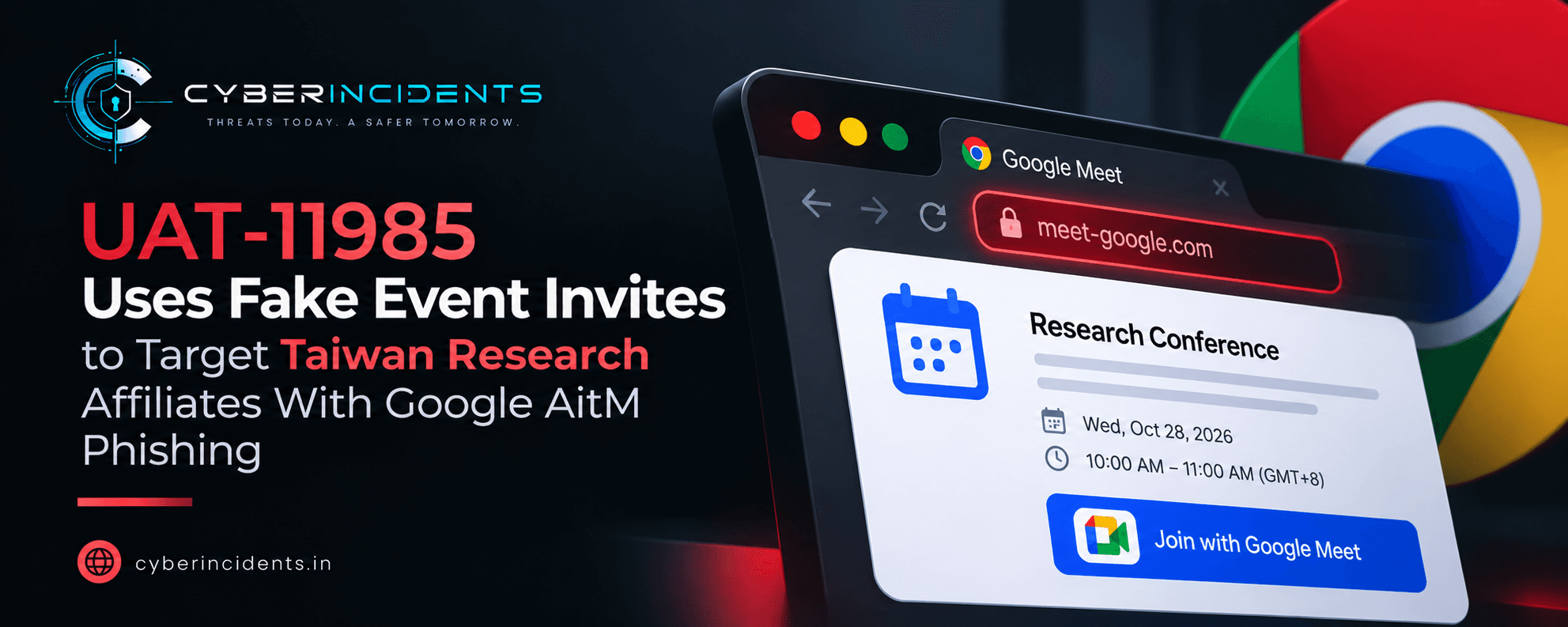
Researchers believe AI-assisted content generation may help the attackers produce personalised invitations at scale. The activity was first observed in mid-2026.
The operation combines targeted social engineering with a phishing proxy that relays authentication activity to the legitimate Google login service.
The attackers impersonate legitimate Taiwan-based organisations, including the Taiwan European Union Centre, NCCU Institute of International Relations, and Taiwan Research Institute.
The invitations reference plausible public events and geopolitical or policy topics to establish credibility. They also flatter recipients by highlighting their professional expertise or research interests.
Cisco Talos observed a repeated three-part structure:
Context: An elaborate description of a geopolitical or policy issue.
Personalisation: A tailored message designed to appeal to the recipient.
Event logistics: The event topic, date, venue and registration instructions.
The repeated structure suggests a reusable content-generation process rather than completely independent invitations.
The emails contain links that lead to attacker-controlled infrastructure, even when hovering over the hyperlink displays a legitimate-looking Google Forms URL.
In some cases, attackers reportedly modify legitimate event posters by replacing their original QR codes with malicious ones.
This technique, known as quishing, extends the attack beyond email. A person encountering a poster online or in printed material could scan the QR code and reach the same phishing infrastructure.
The victim lands on a page designed to resemble a legitimate Google Form. When the victim attempts to register, a pop-up asks them to sign in with their Google account.
The page then displays a counterfeit Google authentication panel intended to capture account credentials and authentication challenges.
Because the invitation and registration page appear connected to a legitimate event, victims may be less likely to question the sign-in request.
The campaign's central technical feature is an adversary-in-the-middle (AitM) phishing proxy.
Instead of merely collecting a password on a static page, the malicious infrastructure relays authentication activity between the victim and the genuine Google authentication service.
According to Cisco Talos, the phishing page uses obfuscated JavaScript and a WebSocket connection to collect information and synchronise authentication activity in real time.
The reported process includes:
Collecting browser and device information, such as locale, user agent, screen dimensions and mobile-device status.
Transmitting information associated with the start of the Google login process.
Capturing the account identifier and password when submitted.
Forwarding authentication activity to Google's genuine authentication service through the attacker-controlled proxy.
Capturing authentication challenges and potentially enabling account takeover.
This approach is particularly dangerous because a victim may be interacting with a live authentication flow rather than a simple fake login form.
Multi-factor authentication adds protection by requiring something beyond a password, such as an authenticator code or security approval. However, some MFA methods can be defeated when a victim is tricked into completing authentication through a real-time phishing proxy.
In an AitM attack, the adversary can relay the victim's authentication activity to the legitimate service. If the authentication succeeds, the attacker may be able to obtain or reuse the resulting session, depending on the authentication method and session protections.
This does not mean all MFA methods are equally vulnerable.
Phishing-resistant authentication, such as FIDO2 security keys and passkeys correctly bound to the legitimate website's origin, provides stronger protection against credential-relay phishing than one-time codes or push approvals alone.
The following details are reported in the Cisco Talos analysis and can help investigators understand the campaign.
| Indicator | Reported detail |
|---|---|
| Activity cluster | UAT-11985 |
| Primary target group | Individuals affiliated with Taiwan research organisations |
| Impersonated organisations | Taiwan European Union Centre, NCCU Institute of International Relations, Taiwan Research Institute |
| Primary lure | Fake academic and policy event invitations |
| QR-based technique | Modified event posters containing malicious QR codes |
| Phishing destination | Fake Google Forms-style page and spoofed Google login panel |
| Communication mechanisms | HTTP requests and WebSocket communication |
| Reported request labels | google_login_start, google_login_check |
| Targeted account type | Google accounts |
| Suspected content-generation approach | AI-assisted personalised lure creation |
The request labels are useful search terms when examining recovered phishing-page code or associated traffic. They should not be treated as standalone indicators of compromise without corroborating evidence.
The supplied reporting does not establish a complete list of malicious domains, IP addresses or file hashes. Analysts should obtain current, verified indicators from the original Cisco Talos research before adding them to detection rules or blocklists.
Review the email headers, sender domain, reply-to address, URLs and message structure.
Check whether the invitation references a real event and whether the impersonated institution actually sent it. A legitimate-looking display name or hyperlink preview does not establish that the destination is safe.
Extract URLs and QR-code destinations in a controlled analysis environment.
Inspect the destination domain, redirect chain, page content and authentication workflow using approved security-analysis tools.
Look for:
A Google Forms-style registration page hosted outside expected Google infrastructure.
Unexpected login pop-ups.
A Google authentication interface served from an unrelated domain.
Suspicious JavaScript and WebSocket connections.
HTTP requests associated with the reported google_login_start and google_login_check labels.
Do not visit suspicious URLs directly from a normal corporate workstation.
Search Google Workspace or available identity-provider logs for activity involving potentially affected accounts.
Investigate:
Successful and failed authentication attempts around the reported phishing interaction.
Unusual IP addresses, locations, devices or browser sessions.
Unexpected MFA challenges or approvals.
New sessions or authentication events shortly after a suspicious sign-in.
Changes to account recovery information, OAuth grants or other security settings.
Correlate these events with the user's reported interaction and the email delivery timeline.
A successful sign-in alone does not prove that the account was compromised. Review session activity, account changes and subsequent actions to determine whether an unauthorised party gained access.
If compromise is confirmed or strongly suspected:
Revoke active sessions and relevant authentication tokens.
Reset credentials from a trusted device.
Review and remove unauthorised recovery methods or application grants.
Investigate mailbox rules, sent messages, file access and other post-compromise activity.
Notify the affected user and follow the organisation's incident response process.
Block confirmed malicious URLs and domains through approved email, DNS, proxy and endpoint controls. Search for similar invitations across mailboxes and investigate whether other recipients scanned the same QR codes.
Preserve the original email, headers, URLs, relevant logs and recovered page artefacts for incident analysis.
Potential mappings based on the reported behaviours include:
| Technique | Relevance |
|---|---|
| T1566.002 – Phishing: Spearphishing Link | Invitations direct recipients to malicious web pages |
| T1204.001 – User Execution: Malicious Link | Victims must interact with a deceptive link or QR code |
| T1056.003 – Input Capture: Web Portal Capture | Counterfeit login interfaces collect credentials |
| T1557 – Adversary-in-the-Middle | Authentication traffic is relayed through attacker-controlled infrastructure |
| T1071.001 – Application Layer Protocol: Web Protocols | HTTP-based communication supports the phishing workflow |
These are potential mappings, not confirmation that every technique was observed in every incident. The precise ATT&CK mapping should be validated against the available technical evidence.
For users
Verify event invitations with the named organisation through independently obtained contact details.
Inspect the actual destination URL before opening a link or scanning a QR code.
Be cautious of unexpected requests to sign in to Google to access an event registration form.
Report suspicious invitations rather than forwarding them to colleagues.
For organisations
Deploy phishing-resistant authentication, such as FIDO2 security keys or appropriately configured passkeys.
Use email security controls to identify impersonation, suspicious URLs and QR-code phishing.
Monitor identity logs for unusual sign-ins, session activity and account changes.
Train researchers, executives and policy staff to recognise targeted invitations that use professional flattery.
Establish a response process for credential theft and suspected session compromise.
UAT-11985 illustrates how convincing event invitations, QR-code phishing and AitM infrastructure can combine to target professional communities. AI-assisted content generation may help attackers personalise messages while maintaining a reusable campaign structure.
For SOC teams, the most important lesson is that a legitimate-looking event and a successful MFA interaction do not necessarily establish that an authentication session is safe. Investigators should validate the original destination, examine identity and session telemetry, and respond quickly when credentials or sessions may have been exposed.
Continue reading
Cyber News
Category: Web Attacks Secondary Categories: Phishing & Social Engineering, Browser Security, Malware Delivery
Cyber News
Category: Supply Chain Attacks Secondary Categories: WordPress Security, Credential Attacks, Web Application Attacks
Cyber News
Category: Cloud Attacks Secondary Categories: Supply Chain Attacks, Identity & Credential Attacks
3 entries, most recent posts.
Category: Web Attacks Secondary Categories: Phishing & Social Engineering, Browser Security, Malware Delivery
Category: Supply Chain Attacks Secondary Categories: WordPress Security, Credential Attacks, Web Application Attacks
Category: Cloud Attacks Secondary Categories: Supply Chain Attacks, Identity & Credential Attacks