Introduction: Encryption Is Often the Final Stage
When people hear about ransomware, they usually imagine a screen filled with ransom notes and files that can no longer be opened.
But encryption is often only the most visible part of a much larger attack.
Before ransomware reaches its final stage, attackers may spend hours or days exploring a compromised environment, collecting credentials, disabling security controls, accessing additional systems, and locating valuable information.
In some incidents, the attackers steal sensitive data before encrypting files. This allows them to threaten both operational disruption and data exposure, even if the victim can restore its systems from backups.
For cybersecurity defenders, the most important question is not simply, "How do we recover encrypted files?" It is also, "What happened before the encryption started, and how can we detect the attack earlier?"
Understanding the ransomware lifecycle helps SOC analysts connect individual alerts into a coherent incident and identify opportunities to contain the threat before the damage becomes widespread.
Stage 1: Initial Access
Every ransomware incident requires the attacker to obtain some form of access to the target environment. The initial entry point varies depending on the victim's infrastructure, security controls, and exposure to the internet.
Common initial-access methods include:
Phishing: A user is tricked into opening a malicious attachment, visiting a fraudulent website, or interacting with a deceptive link.
Stolen credentials: Attackers use compromised usernames, passwords, session tokens, or other authentication material.
Exposed remote-access services: Poorly secured VPNs, remote desktop services, or management interfaces may provide an entry point.
Exploitation of vulnerabilities: Unpatched internet-facing applications or appliances may allow unauthorized access.
Compromised third parties: An attacker may enter through a supplier, service provider, or trusted software environment.
Initial access does not necessarily mean ransomware is already running. The attacker may first obtain access to a single account or endpoint and then attempt to expand their control.
What SOC analysts should investigate
When an alert suggests suspicious access, analysts should establish how the session began and whether it was legitimate.
Review authentication logs, endpoint telemetry, VPN records, email security events, and relevant firewall data. Look for unusual login locations, unfamiliar devices, suspicious processes, unexpected remote sessions, or activity that deviates from the user's normal behaviour.
A single unusual login does not prove ransomware activity. However, an unexplained login followed by suspicious endpoint or administrative activity may indicate a broader compromise.
Stage 2: Execution and Establishing a Foothold
After gaining access, attackers need a way to execute commands or run tools within the environment.
Depending on the initial-access method, this may involve a malicious program, an abused legitimate application, a script, or commands executed through an already compromised account.
Attackers may also attempt to maintain access so that they can return even if the original entry point is closed. This is known as persistence.
Potential persistence mechanisms include unauthorized scheduled tasks, suspicious services, modified startup entries, or unauthorized changes to account permissions.
Not every ransomware operation uses every persistence technique. The methods depend on the attacker's tools and the target environment.
What SOC analysts should investigate
Examine endpoint process trees and system changes around the initial compromise.
For Windows endpoints, relevant telemetry may include:
Process creation events, including Security Event ID 4688 when process auditing is enabled.
Windows service installation events, including Security Event ID 7045 in the System log.
Scheduled task creation and modification.
Changes to startup locations or privileged accounts.
Endpoint detection and response (EDR) alerts involving suspicious scripts or command execution.
Investigators should identify the parent process, user account, command line, execution time, and subsequent child processes where available.
The objective is to determine whether the activity was an authorized administrative operation or part of an attack chain.
Stage 3: Privilege Escalation and Credential Access
A compromised standard user account may not have enough permissions to access critical servers, security systems, or sensitive data.
Attackers may therefore attempt to obtain higher privileges or collect credentials that allow them to access additional systems.
Credential-access activity can include attempts to obtain stored credentials, abuse authentication mechanisms, misuse privileged accounts, or steal authentication tokens.
Privilege escalation and credential access are related, but they are not the same. An attacker may gain higher privileges on one endpoint, obtain credentials for another account, or use an existing privileged account without exploiting a local vulnerability.
Why this stage matters
Compromised administrative credentials can turn a limited endpoint incident into a wider enterprise incident.
An attacker with elevated access may be able to manage additional endpoints, change security configurations, access shared resources, or interfere with recovery processes.
What SOC analysts should investigate
Look for suspicious authentication patterns, unexpected privilege use, and unusual access to credential-sensitive processes or resources.
Relevant Windows events may include:
4624: Successful logon.
4625: Failed logon.
4672: Special privileges assigned to a new logon.
4720: User account created.
4732: Member added to a security-enabled local group.
These events are context-dependent and do not independently prove malicious activity. Investigators should correlate them with account ownership, source systems, logon type, process activity, and the timing of other alerts.
Stage 4: Discovery and Lateral Movement
Once an attacker has a foothold, they may explore the environment to understand which systems and resources are accessible.
Discovery activity can reveal domain information, users, running services, shared folders, security tools, backup infrastructure, and other systems of interest.
If the attacker obtains additional credentials or finds a way to access another system, they may move laterally from the original endpoint to servers, workstations, or administrative infrastructure.
Lateral movement can involve legitimate remote-management mechanisms. For that reason, it can be difficult to distinguish malicious activity from routine IT operations without considering the broader context.
Example investigation scenario
An employee's workstation generates an alert for suspicious script execution. Shortly afterward, the same user account authenticates to several servers that it does not normally access.
Those sessions are followed by unusual file access and administrative activity.
Individually, each event may have a legitimate explanation. Together, they could indicate that an attacker is expanding their access after compromising the original workstation.
What SOC analysts should investigate
Review authentication and endpoint telemetry across multiple systems rather than investigating each alert in isolation.
Useful sources include:
Windows Security logs and domain-controller authentication events.
EDR process and network telemetry.
VPN and remote-access logs.
SMB and file-server access records.
Remote-management and administrative activity.
SIEM correlation searches linking the same account, source endpoint, and time window.
The key investigative question is whether the sequence represents normal administration or unauthorized movement between systems.
Stage 5: Defense Evasion and Security Control Tampering
Before deploying ransomware, attackers may attempt to make their activity harder to detect or disrupt the organization's ability to respond.
Possible actions include disabling or modifying security tools, interfering with logging, changing endpoint protection settings, or attempting to stop services that could block their activity.
Some ransomware operations also attempt to delete or disable backups and recovery mechanisms. This can increase the pressure on victims by making restoration more difficult.
However, security-control tampering is not exclusive to ransomware. It can occur in other types of intrusions, and some legitimate administrative tools also modify security settings.
What SOC analysts should investigate
Prioritize unexplained changes to security controls, audit policies, backup services, and endpoint protection configurations.
Correlate the changes with the identity that initiated them, the originating endpoint, and any preceding suspicious authentication or execution events.
For example, an unexpected attempt to disable endpoint protection followed by unusual administrative activity across several servers should receive urgent attention.
Where possible, use telemetry collected outside the affected endpoint. If local logs are deleted or security software is disabled, independent logging infrastructure may preserve evidence of what occurred.
Stage 6: Data Discovery and Exfiltration
Many ransomware operations are not limited to encrypting files. Attackers may first identify and steal information that can be used for extortion.
This is commonly described as double extortion: the victim faces both operational disruption and the threat of sensitive information being published or otherwise exposed.
The data targeted depends on the environment. It may include business documents, customer records, financial information, intellectual property, or internal communications.
Not every ransomware incident involves confirmed data theft. Encryption alone does not prove that exfiltration occurred.
What SOC analysts should investigate
Look for unusual data access or outbound transfer activity, including:
Large or unexpected transfers from file servers.
Unusual access to sensitive directories.
Abnormal outbound connections from servers that do not normally communicate with external destinations.
Unexpected use of cloud storage or file-transfer services.
Compression or staging activity followed by suspicious network traffic.
Network volume alone is not enough to establish exfiltration. Legitimate backups, software distribution, and business operations can also generate large transfers.
Investigators should correlate destination reputation, user identity, process activity, data-access logs, and the timing of suspicious connections.
Stage 7: Backup Discovery and Recovery Inhibition
Backups are a critical part of ransomware recovery, so attackers may attempt to locate, disable, or delete them before encryption.
Potential targets include backup servers, backup-management consoles, snapshots, recovery services, and privileged accounts used for restoration.
If attackers can compromise both production systems and backup infrastructure, the organization may lose its ability to recover quickly.
This is why backup systems should be protected with separate access controls and, where possible, isolated or immutable recovery copies.
What SOC analysts should investigate
Investigate unexpected changes to backup policies, deletion of snapshots, failed backup jobs, and unusual access to recovery infrastructure.
Correlate those events with privileged logins, administrative tools, and suspicious activity elsewhere in the environment.
Do not wait for an encryption alert before treating unexplained backup deletion or recovery tampering as a potential security incident.
Stage 8: Ransomware Deployment and Encryption
Encryption is the stage most commonly associated with ransomware, but by this point an attacker may already have compromised multiple systems or stolen sensitive information.
The ransomware payload may be executed on one endpoint or distributed across multiple systems, depending on the attacker's access and the environment.
Once executed, it may search for files, encrypt selected data, alter file names or extensions, and create ransom notes explaining the attackers' demands.
The exact behaviour varies between ransomware families. Some target local files, while others also affect network shares or connected storage. The presence of a ransom note or changed file extensions is useful evidence, but neither is required for every ransomware incident.
What happens during encryption?
At a high level, the malware identifies files that match its targeting rules and encrypts their contents or otherwise makes them inaccessible. It may leave operating-system files untouched to keep the device running long enough to display the ransom demand.
Some families use a combination of symmetric and asymmetric cryptography. The specific implementation depends on the ransomware family.
The critical operational impact is that affected users and services may no longer be able to access essential data.
What SOC analysts should investigate
Treat rapid, unusual file modifications across an endpoint or network share as a potential ransomware emergency.
Investigate:
EDR detections involving ransomware or mass file modification.
Sudden changes to many files in a short period.
Unexpected ransom-note creation or file-extension changes.
Unusual process activity across multiple endpoints.
Network-share access followed by widespread file modifications.
Backup failures or recovery infrastructure changes preceding encryption.
If ransomware is suspected, containment should begin immediately under the organization's incident-response plan. Waiting to identify the exact malware family can allow the attack to spread further.
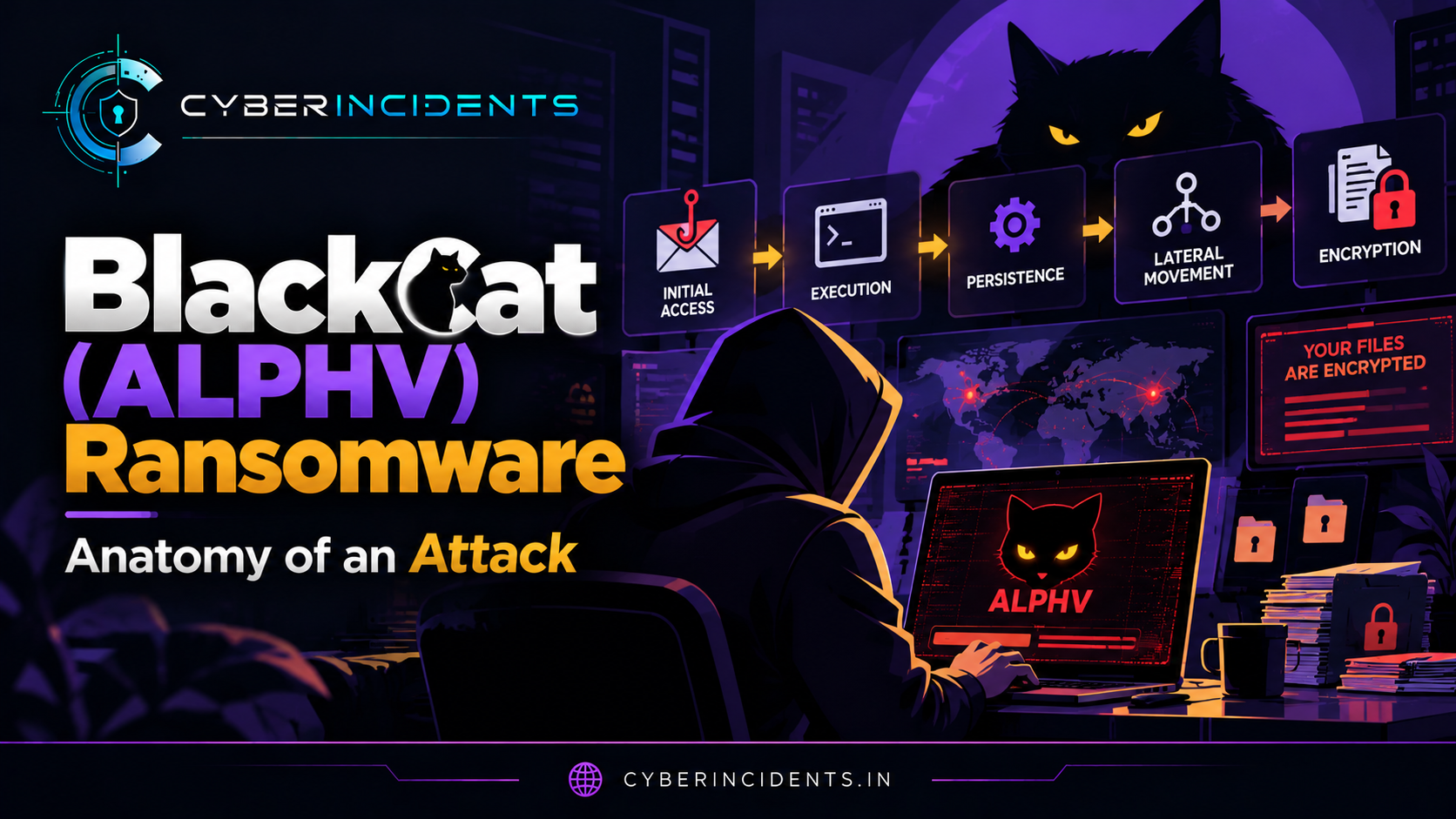
The Ransomware Attack Lifecycle at a Glance
The sequence below represents a common attack pattern, not a mandatory checklist. Attackers may skip stages, repeat them, or perform some activities in parallel.
Initial access: Enter through compromised credentials, phishing, exposed services, vulnerabilities, or a third party.
Execution and persistence: Run commands or malware and attempt to maintain access.
Credential access and privilege escalation: Obtain additional permissions or credentials.
Discovery and lateral movement: Explore and move across the environment.
Defense evasion: Interfere with security controls and logging.
Data theft and backup targeting: Collect valuable information and weaken recovery options.
Deployment and encryption: Disrupt access to files and systems and present ransom demands.
For defenders, the best opportunity to limit impact is often before the final stage. An early alert involving suspicious access or credential theft may be the first visible sign of an intrusion that could otherwise end in widespread encryption.
Incident Response: What to Do When Ransomware Is Suspected
A suspected ransomware incident requires coordinated action across the SOC, incident-response team, IT operations, and business stakeholders.
1. Contain affected systems. Isolate compromised endpoints and systems according to the incident-response plan. Consider network segmentation and account containment where appropriate, while avoiding unnecessary actions that could destroy evidence.
2. Protect privileged credentials. Identify potentially compromised accounts, revoke active sessions where necessary, and rotate exposed credentials from trusted systems.
3. Preserve evidence. Collect relevant EDR telemetry, authentication logs, network records, ransom notes, and suspicious files according to forensic procedures.
4. Determine the scope. Identify affected endpoints, servers, user accounts, shared storage, and backup systems. Look for evidence of lateral movement and data theft.
5. Protect recovery infrastructure. Prevent further unauthorized access to backups and validate that recovery copies are usable and appropriately isolated.
6. Eradicate and recover. Remove the attacker's access and malicious components, address the initial entry point, and restore systems using trusted recovery procedures.
7. Monitor after restoration. Look for recurring access, suspicious authentication, renewed command execution, or other evidence that the attacker still has a foothold.
Organizations should follow their established incident-response procedures and applicable reporting obligations. Recovery should not be considered complete until the entry point has been addressed and the environment has been checked for remaining attacker access.
Conclusion
Ransomware is not simply a file-encryption problem. It is often the final stage of a broader intrusion involving initial access, credential theft, lateral movement, security-control tampering, and sometimes data exfiltration.
Understanding the lifecycle helps SOC analysts connect alerts that might otherwise appear unrelated. A suspicious login, unusual administrative activity, unexpected backup deletion, and mass file modification may represent different stages of the same incident.
The central defensive lesson is to detect the intrusion before encryption begins. Strong identity controls, timely patching, endpoint monitoring, network visibility, protected backups, and effective incident response can reduce the likelihood that an initial compromise becomes a major ransomware incident.