Cyber News
Google Chrome Adds ClickFix Warnings to Stop Users From Running Malicious Commands
Category: Web Attacks Secondary Categories: Phishing & Social Engineering, Browser Security, Malware Delivery
6 min read

The Hirudo Android banking Trojan exploits patched banking apps to bypass built-in security checks and facilitate malicious financial activity.
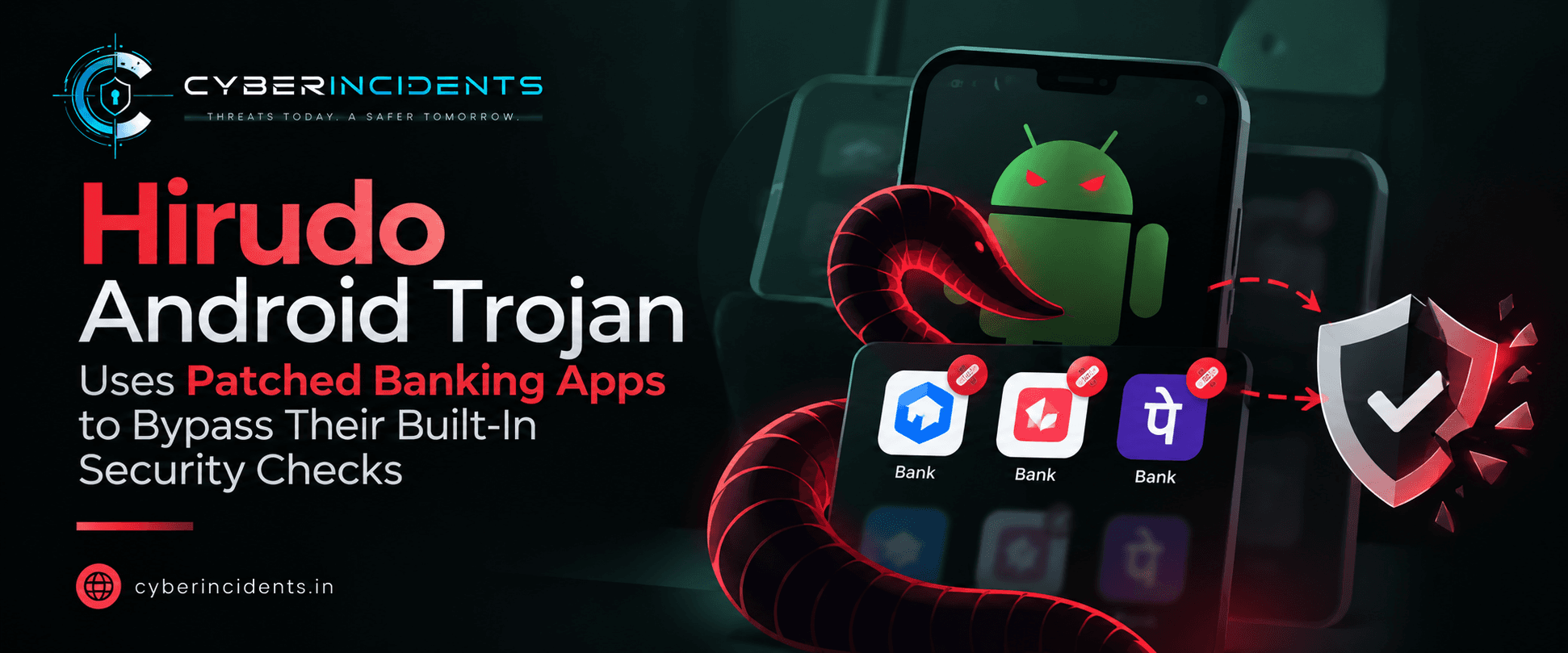
According to ThreatFabric, the campaign involves replacements for eight Indonesian banking apps, while its credential-targeting activity spans Indonesia, China, India, Mexico, Morocco and Thailand.
The malware is distributed through seemingly legitimate shopping, entertainment and short-video applications that prompt users to install a separate malicious package disguised as an update.
Hirudo uses legitimate-looking applications as the entry point for infection. These apps may display functioning storefronts, video catalogues or entertainment content, making them appear trustworthy to unsuspecting users.
The infection process follows several stages:
Malicious app distribution: Victims are directed to fake Google Play Store-style pages, reportedly through advertisements on Meta-owned social media platforms.
Dropper installation: The user installs a seemingly legitimate shopping or entertainment application.
Fake update prompt: The dropper checks whether Hirudo is already installed and may display an update prompt to initiate installation of the separate malware package.
Permission abuse: Hirudo requires its own permissions, including Accessibility Service and notification access, to perform its malicious functions.
Credential theft and surveillance: The malware can capture credentials, payment PINs, screen activity and SMS messages while enabling remote interaction with the device.
Banking app replacement: For targeted Indonesian banking applications, Hirudo prompts the victim to remove the genuine app and installs a modified replacement.
ThreatFabric identified the following dropper applications in its reporting:
| Application | Package name |
|---|---|
| Shopora | com.agbbh.kjdrttt |
| 1V1 X | com.onev.vip |
| KoiShort | com.koishort.app |
| ZoyaTV | com.zoyatv.app |
These names and package identifiers are investigation leads, not a complete list of all potentially associated applications.
Traditional Android banking trojans commonly use fake login screens or overlays to capture credentials when victims open financial applications. Hirudo adds another layer by attempting to manipulate the security mechanisms inside the banking application itself.
Hirudo checks the installed banking app and its signing certificate before presenting a fake update prompt. The original application is then uninstalled, while a bank-specific modified version is downloaded.
Although the victim must replace the genuine application, the modified copy can provide a more persistent route to capturing financial activity.
The modified banking applications reportedly include a hooking engine designed to manipulate several security signals:
Signature verification: Return the expected legitimate signing certificate.
Accessibility checks: Return an empty list when querying enabled accessibility services.
Screen protection: Remove Android's FLAG_SECURE flag, potentially allowing protected screens to be captured remotely.
Play Integrity: Relay integrity requests to an operator-controlled server that returns a response for the application to accept.
The report also states that the malware includes a publicly leaked attestation keybox.
Why this matters: A banking application may appear to pass its local security checks even when its code or runtime behaviour has been modified. A successful integrity response alone should therefore not be treated as definitive proof that an application is genuine.
| Capability | Potential impact |
|---|---|
| Credential theft | Exposure of banking and wallet login details |
| Fake payment screens | Theft of payment PINs and authentication information |
| Accessibility abuse | Monitoring and manipulation of application interactions |
| Screen and camera capture | Exposure of sensitive on-screen or visual information |
| SMS interception | Potential exposure of transaction messages and authentication codes |
| Remote device control | Attacker interaction with the compromised device |
| Banking app tampering | Interference with application-level security controls |
| Data collection | Centralised storage of device records and financial profiles |
The exact capabilities available on a particular device depend on the installed malware version, granted permissions and campaign configuration.
Security teams investigating suspected Hirudo infections should focus on the installation chain, permission changes, application integrity and possible financial compromise.
Review Android application inventories for unfamiliar shopping, video or entertainment applications installed outside trusted distribution channels.
Check:
Application name and package identifier.
Installation source and timestamp.
APK hash and signing certificate.
Whether the application was installed shortly before suspicious banking activity.
Any unexpected removal and reinstallation of banking applications.
Do not rely on the application name alone, as names can be changed or impersonated.
Review whether an unfamiliar application has been granted:
Accessibility Service access.
Notification access.
Other sensitive permissions relevant to its behaviour.
Correlate permission grants with application installations, fake update prompts and unusual device activity.
Compare the installed banking APK with a verified version obtained from the bank or another trusted source.
Where possible, validate:
Package name and signing certificate.
APK hash and version.
Unexpected application replacement.
Changes to security-related code or runtime behaviour.
Discrepancies between client-reported integrity signals and independent server-side validation.
Preserve evidence before removing suspicious applications, where operationally and legally appropriate.
Investigate connections to unfamiliar domains or infrastructure associated with the suspicious application. Look for unusual communication patterns following installation, permission grants or banking app replacement.
Correlate network evidence with DNS, proxy, firewall and available mobile telemetry. Avoid treating a single unfamiliar connection as proof of compromise.
Determine whether the affected device accessed banking or wallet applications after infection. Review suspicious authentication events, transaction activity, SMS-related evidence and changes to account recovery settings.
If compromise is suspected, contact the relevant bank through an official channel and follow its fraud-response process. Reset credentials and revoke sessions using a trusted device.
The following are potential investigation mappings based on the reported behaviours. Confirm each mapping against observed evidence before assigning it to an incident.
| Observed behaviour | Potential technique |
|---|---|
| Deceptive application distribution | T1476 – Deliver Malicious App |
| Abuse of Accessibility Services | T1453 – Abuse Accessibility Features |
| Credential capture through deceptive screens | T1417.002 – Input Capture: GUI Input Capture |
| Screen capture | T1513 – Screen Capture |
| SMS interception | T1636.004 – Protected User Data: SMS Messages |
These mobile techniques belong to MITRE ATT&CK's Mobile matrix. The mappings describe potential behaviour and do not establish that every technique was observed in every Hirudo infection.
For Android users
Install applications through Google Play or another trusted, verified distribution channel.
Avoid installing APKs offered through advertisements, pop-ups or unexpected in-app update prompts.
Review Accessibility and notification access permissions regularly.
Keep Android and security protections updated.
Never assume that a familiar-looking banking interface proves an application is genuine.
For financial institutions
Validate application integrity through server-side controls rather than trusting client-generated signals alone.
Correlate device integrity, authentication and transaction risk signals.
Monitor suspicious application replacement and anomalous device behaviour.
Apply additional verification or transaction restrictions when risk signals conflict.
For SOC and incident response teams
Retain mobile application inventory, installation and authentication telemetry.
Correlate suspicious APK activity with identity and financial account events.
Establish procedures for preserving evidence from potentially compromised mobile devices.
Treat suspected banking trojan infections as potential credential and financial exposure incidents, not merely malware detections.
Hirudo demonstrates how Android banking malware is evolving from credential-stealing overlays towards tampering with the security checks of targeted applications. By combining deceptive distribution, remote device control and modified banking apps, it can undermine trust in signals that financial applications normally use to assess their own integrity.
For defenders, the central lesson is that application integrity must be independently verified, and mobile security decisions should not rely solely on signals generated by an application that may already be compromised.
Continue reading
Cyber News
Category: Web Attacks Secondary Categories: Phishing & Social Engineering, Browser Security, Malware Delivery
Cyber News
Category: Supply Chain Attacks Secondary Categories: WordPress Security, Credential Attacks, Web Application Attacks
Cyber News
Category: Cloud Attacks Secondary Categories: Supply Chain Attacks, Identity & Credential Attacks

3 entries, most recent posts.
Category: Web Attacks Secondary Categories: Phishing & Social Engineering, Browser Security, Malware Delivery
Category: Supply Chain Attacks Secondary Categories: WordPress Security, Credential Attacks, Web Application Attacks
Category: Cloud Attacks Secondary Categories: Supply Chain Attacks, Identity & Credential Attacks